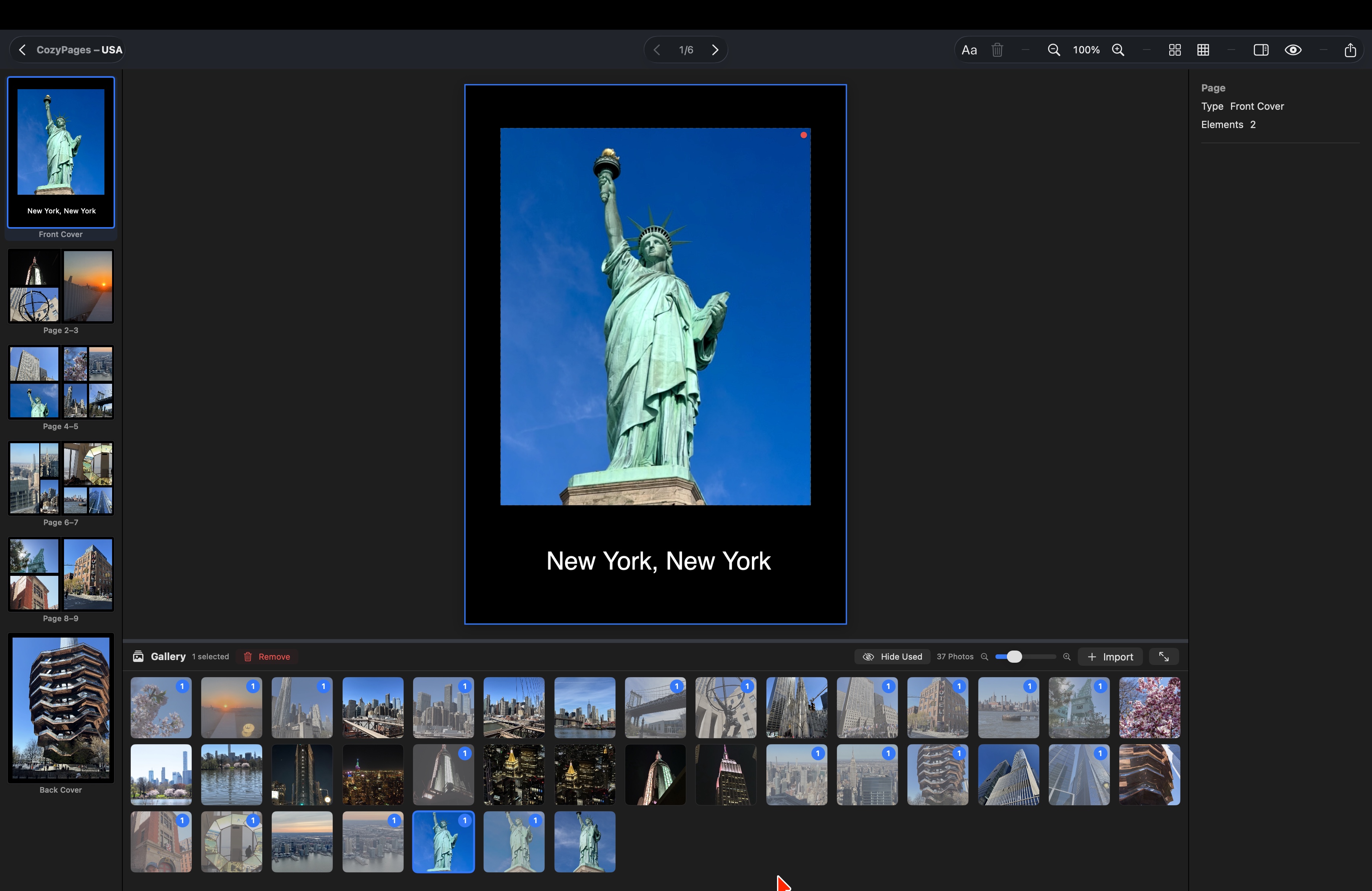
Everything you need.
Nothing you don't.
CozyPages combines powerful features with an interface that feels like home.
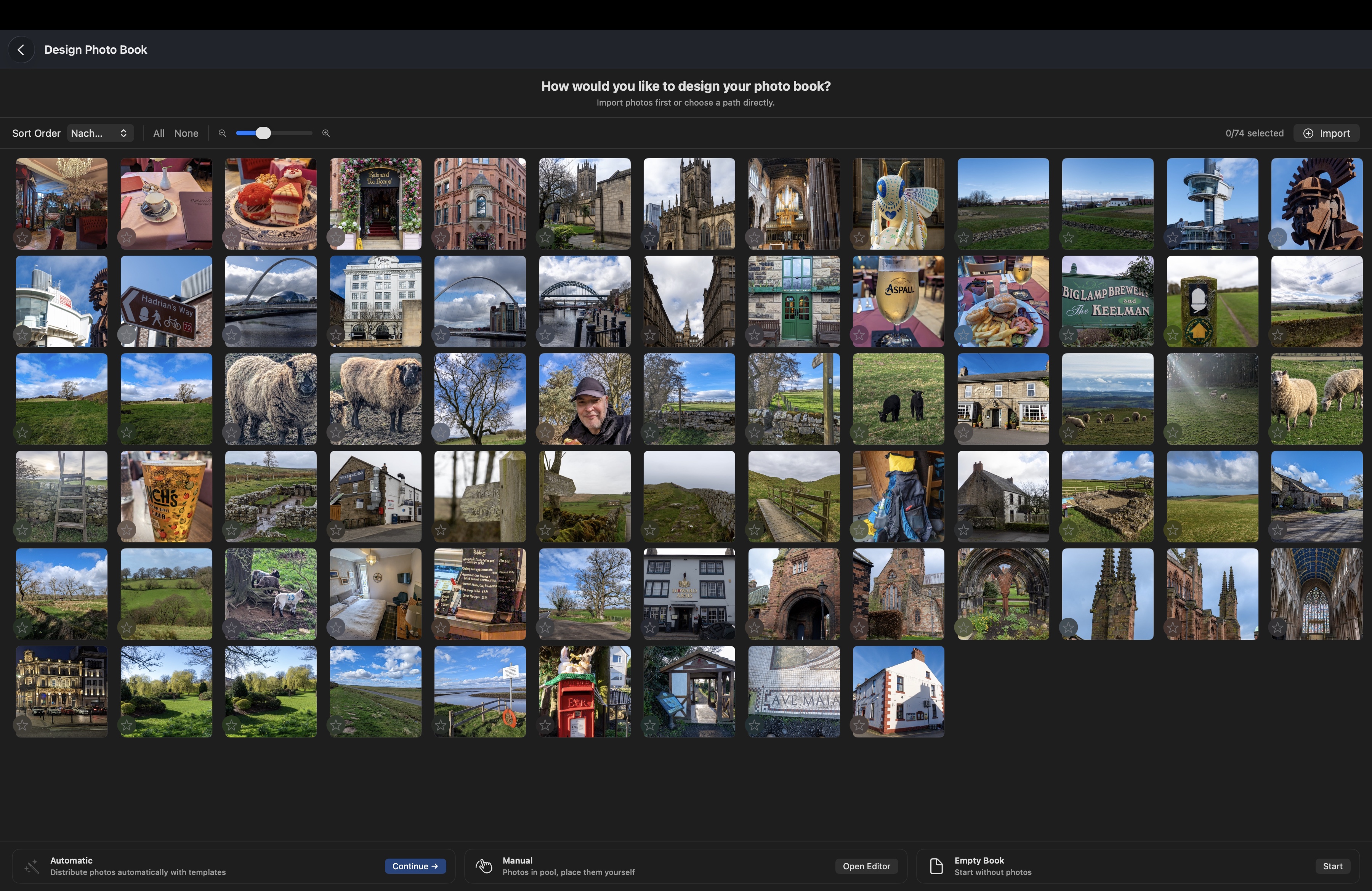
Smart Photo Import
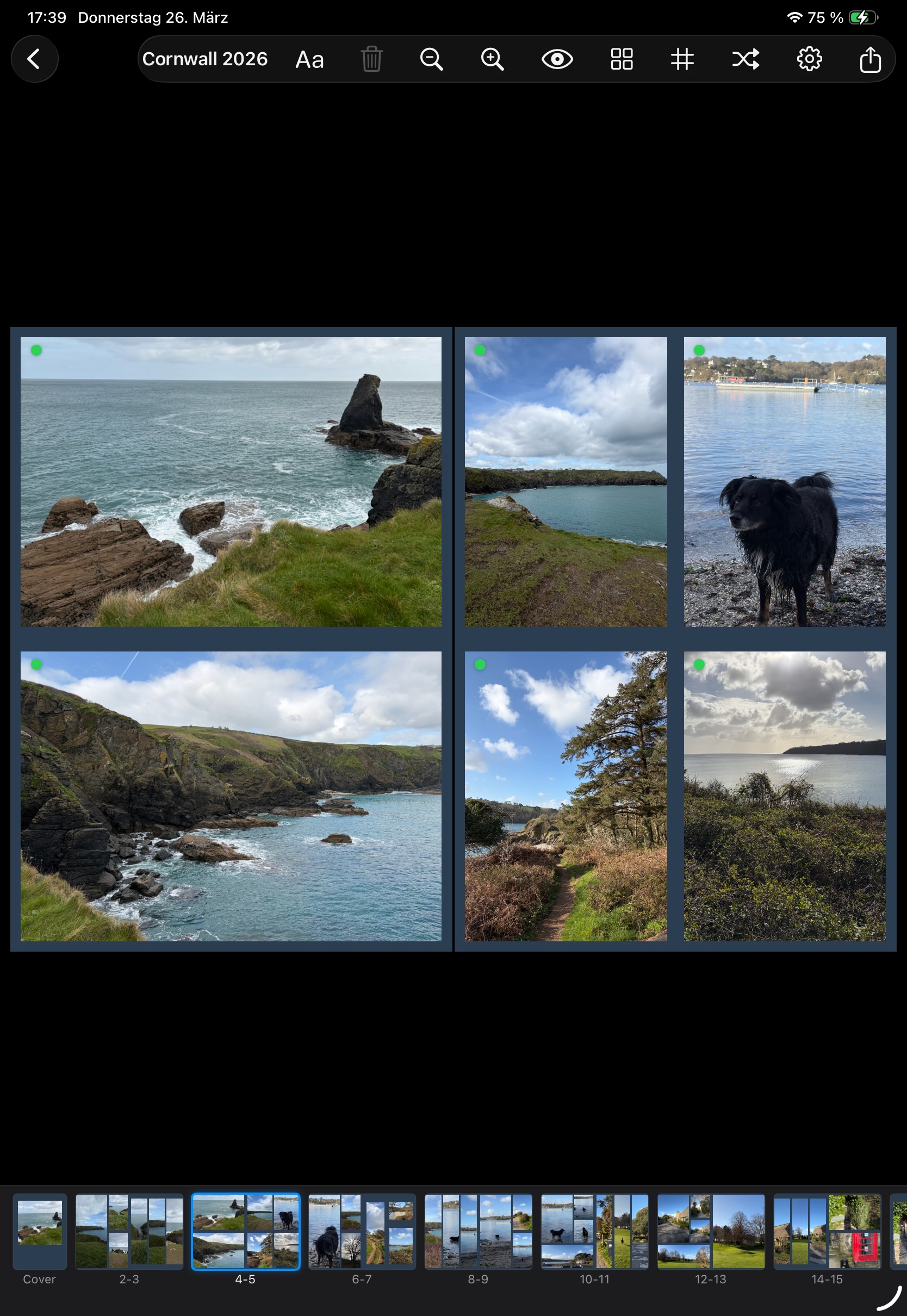
Import your photos and choose your path: Automatic Layout distributes your images intelligently, Manual gives you full control, or start with an empty book.
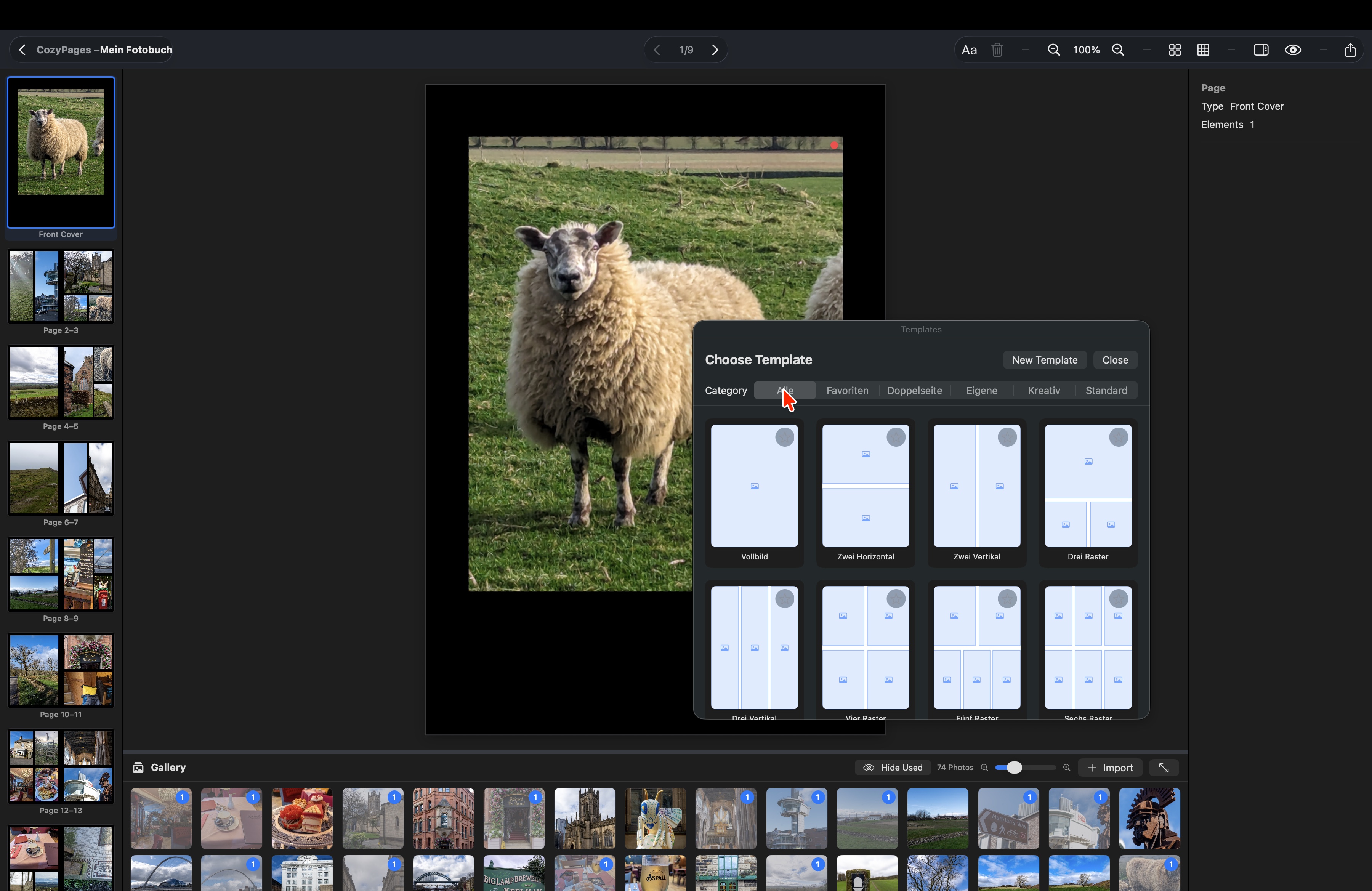
Flexible Templates
Choose from many presets or create your own. From fullscreen to complex grids — the perfect layout for every photo.
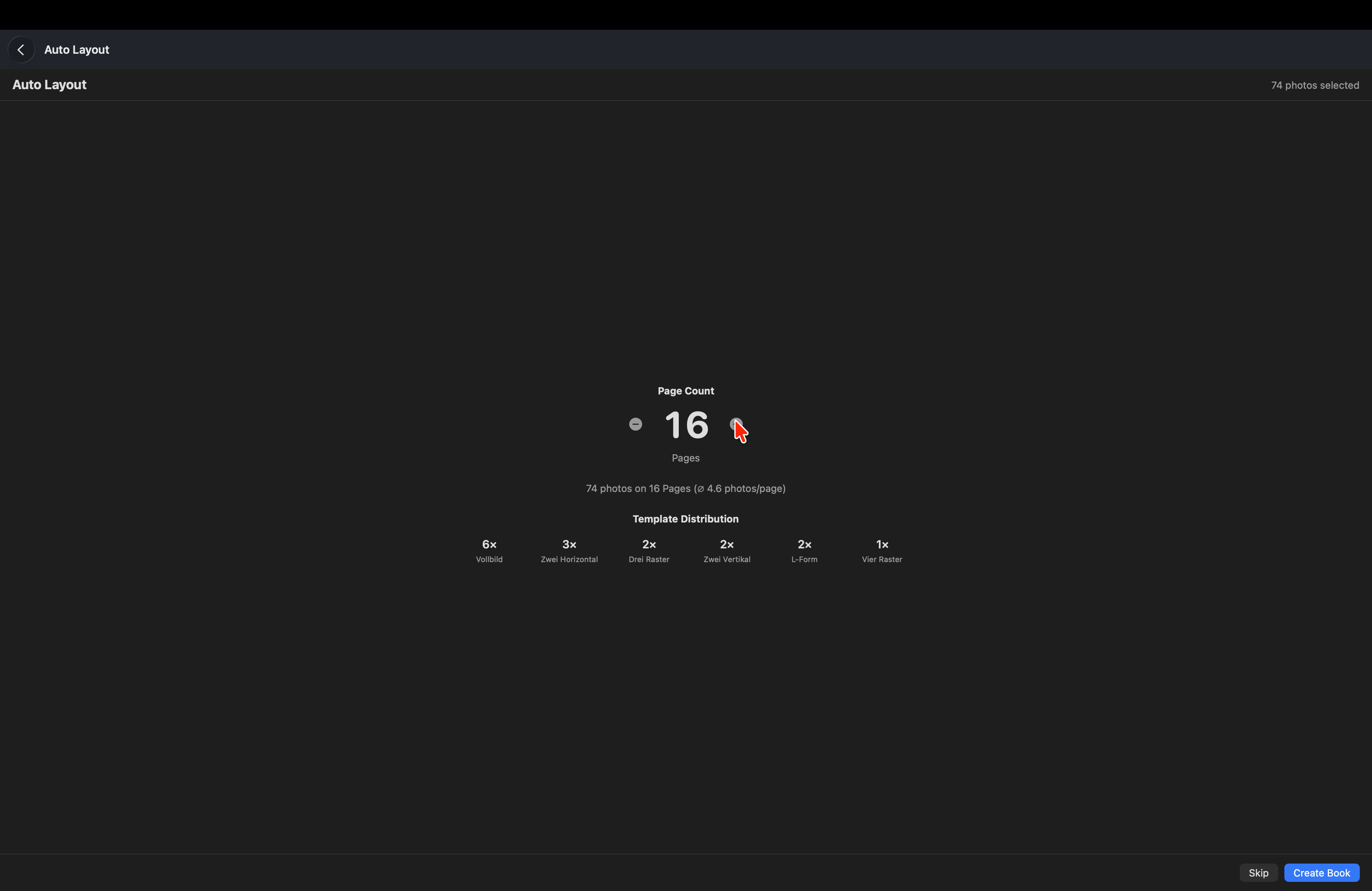
Auto-Layout Magic
Choose the page count and CozyPages distributes your photos automatically across various templates. Customize everything afterwards.
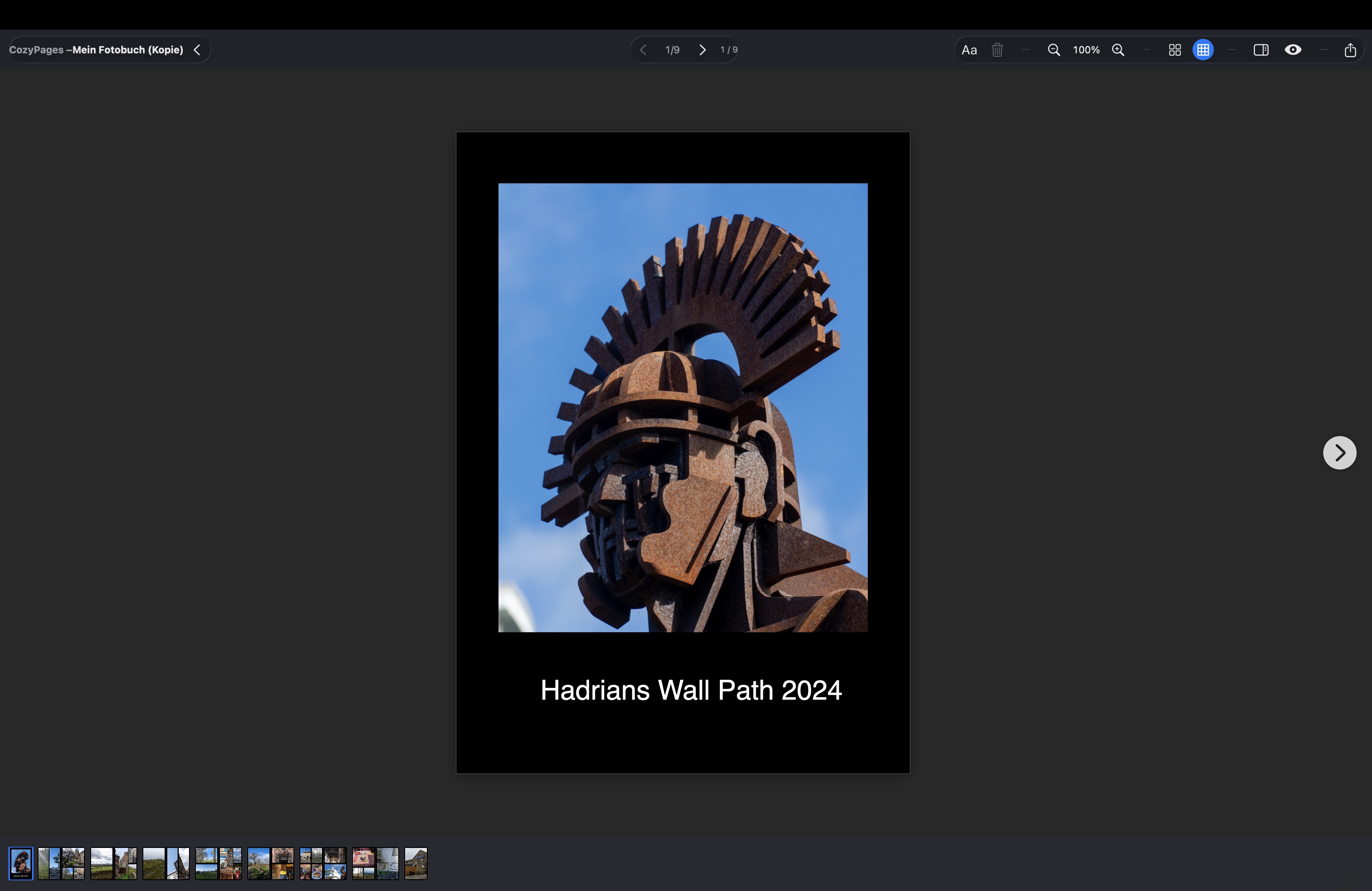
Beautiful Preview
Flip through your photo book in preview before exporting. See exactly how your finished book will look.
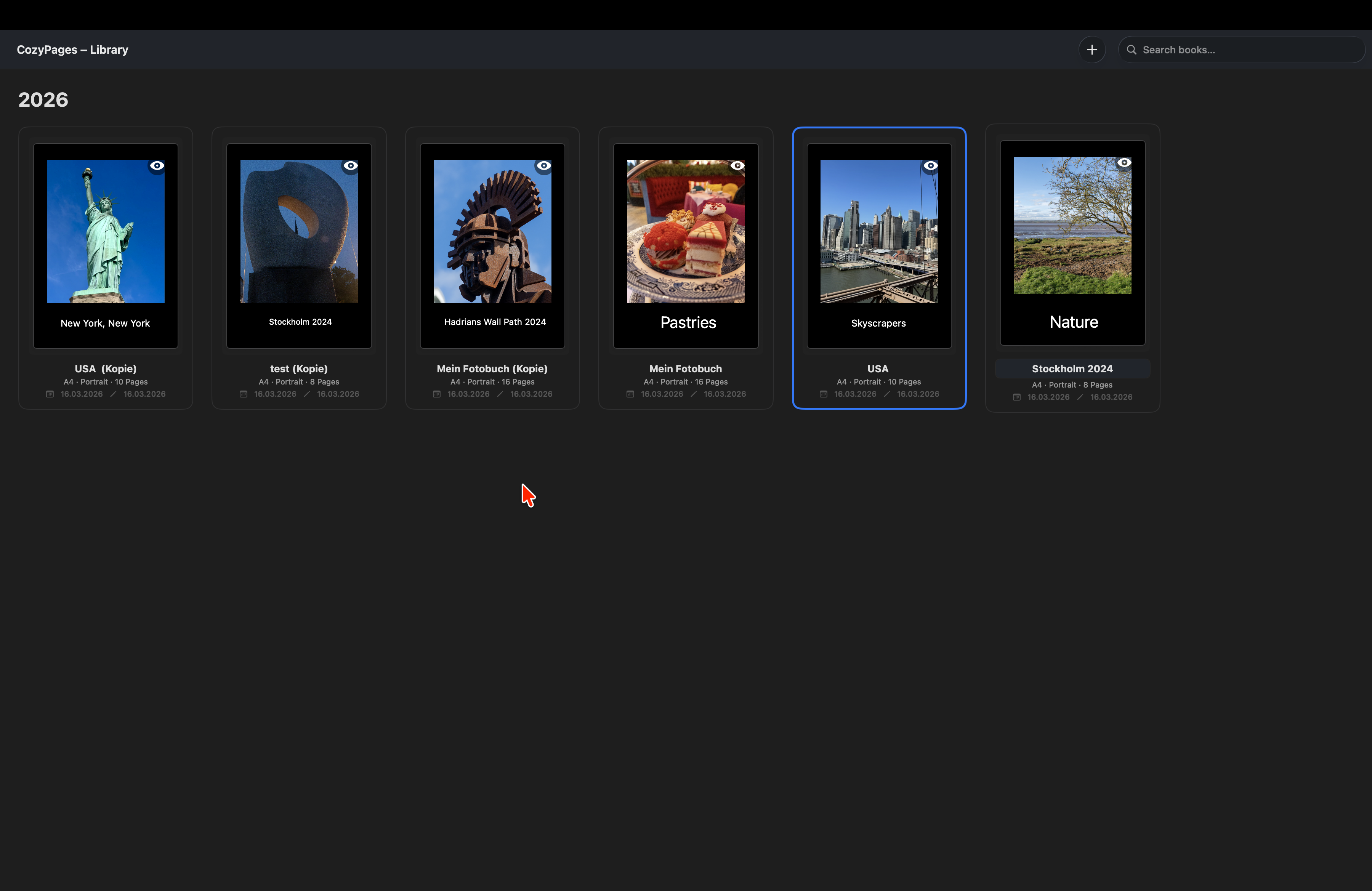
Your Library
All your photo books in one place. Create as many books as you like and access them anytime.
Made for people who
want to do it right.
CozyPages was built from scratch for Apple devices - because there was no photo book app that met this standard.
100% native for Apple
Not a ported Windows app, not a sluggish web interface. CozyPages is built with SwiftUI from the ground up for Mac and iPad - and it feels like it.
Simple yet flexible
Auto-layout for quick design, full manual control when you need it. Create custom templates, drag & drop photos - no complicated menus.
Free from vendor lock-in
Export as PDF or JPG and print with whatever service you like best. You decide on price, quality, and delivery time.
Gift it as an eBook
Turn your photo book into an EPUB and share it digitally with family and friends - the perfect personal gift.
5 steps to your
perfect photo book
From idea to printed book — it's never been this easy.
Select Photos
Import your favorite photos via drag & drop or select them directly from your photo library.
Choose Layout
Let CozyPages create a layout automatically or design each page manually — whatever you prefer.
Get Creative
Customize templates, move photos, add text. Your photo book, your rules.
Export
Export as high-resolution PDF or individual JPG pages — ready for print.
Upload your photo book to your favorite print service and hold it in your hands soon.
Your Photo Book.
Your Print Service.
CozyPages makes you independent. Export your photo book and print it with the provider of your choice.
Method 1: PDF Upload
Many photo book services offer direct PDF upload. Export your photo book as PDF from CozyPages and upload it directly — done!
Method 2: JPG as Background
Export each page as an individual JPG file. Create an empty book at your print service and upload the JPGs as page backgrounds. Works with almost every provider!
Frequently Asked Questions
Can I print my photo book with any service?
Yes! CozyPages exports your photo book as PDF or individual JPG files. You can upload these to any photo book service — CEWE, Pixum, Shutterfly, Blurb, or others. Some services support direct PDF upload, others let you upload JPGs as page backgrounds.
How does the automatic layout work?
Select your photos, choose the page count, and CozyPages intelligently distributes your images across various templates. You can then customize every page individually, switch templates, and drag & drop photos.
Is CozyPages available for iPad?
Yes! CozyPages is now also available as a native iPad app. The iPad version is also in beta and can be tested for free via Apple TestFlight. Design your photo books from the comfort of your couch — with the full feature set.
What formats does CozyPages support?
CozyPages supports various book formats like A4 Portrait and more sizes. Export as high-resolution PDF or individual JPG files — compatible with any print service.
Do I need an internet connection?
No! CozyPages runs completely offline on your Mac. Your photos stay on your device — no cloud uploads, no waiting. You only need internet to download the app and later upload to the print service.
Can I create custom templates?
Yes! In addition to the built-in templates, you can create your own layouts and save them as templates. Your personal style, always at your fingertips.
Ready for your next photo book?
CozyPages is currently available as a free beta for Mac and iPad via Apple TestFlight. Enter your Apple ID email and we'll send you the invitation!
Mac: macOS 14.0+ · iPad: iPadOS 17.0+ · Your email is only used for the TestFlight invitation.